
Whether you are working from home full-time or jumping on occasional video calls, your webcam matters more than you might think. A blurry, dark, or echo-prone video feed signals poor professionalism before you even say a word. The good news: you do not need to spend a fortune to look great on camera.
We reviewed and compared the five best webcams available on Amazon right now — ranging from a $30 budget pick to a $100 low-light powerhouse — so you can find the right one for your setup and budget.
Quick Comparison Table
| Webcam | Resolution | FPS | Mics | Best For | Price |
|---|---|---|---|---|---|
| Logitech Brio 100 | 1080p | 30fps | 1 built-in | Budget pick | ~$30 |
| EMEET C960 | 1080p | 30fps | 2 noise-canceling | Best value | ~$35 |
| Logitech C920x Pro HD | 1080p | 30fps | 2 stereo | Best overall | ~$60 |
| Logitech C920S Pro HD | 1080p | 30fps | 2 stereo | Best with privacy | ~$70 |
| Razer Kiyo Pro | 1080p | 60fps | 1 built-in | Best low light | ~$100 |
Our Top 5 Webcam Picks
1. Logitech Brio 100 — Best Budget Pick (~$30)

The Logitech Brio 100 is proof that you do not need to spend much to get a reliable webcam for daily meetings. It delivers clean 1080p video and brings Logitech’s signature RightLight auto-exposure technology down to the entry-level tier.
Key Specs
- Resolution: 1080p Full HD
- Frame rate: 30fps
- Microphone: 1 built-in mono mic
- Auto-light correction: RightLight (auto-exposure)
- Privacy: Physical privacy shutter
- Connection: USB-A
- Compatibility: Works with Zoom, Teams, Google Meet, and more
What We Like
- Excellent price-to-performance ratio
- RightLight technology noticeably improves video in dim rooms
- Physical privacy shutter is a great safety feature at this price
- Plug-and-play — no software required
What Could Be Better
- Single mono mic picks up some background noise
- No autofocus; fixed-focus lens
- 30fps only (fine for meetings, not for streaming)
Best For: Remote workers on a tight budget who need a reliable, no-fuss webcam for daily video calls.
2. EMEET C960 1080P — Best Value (~$35)
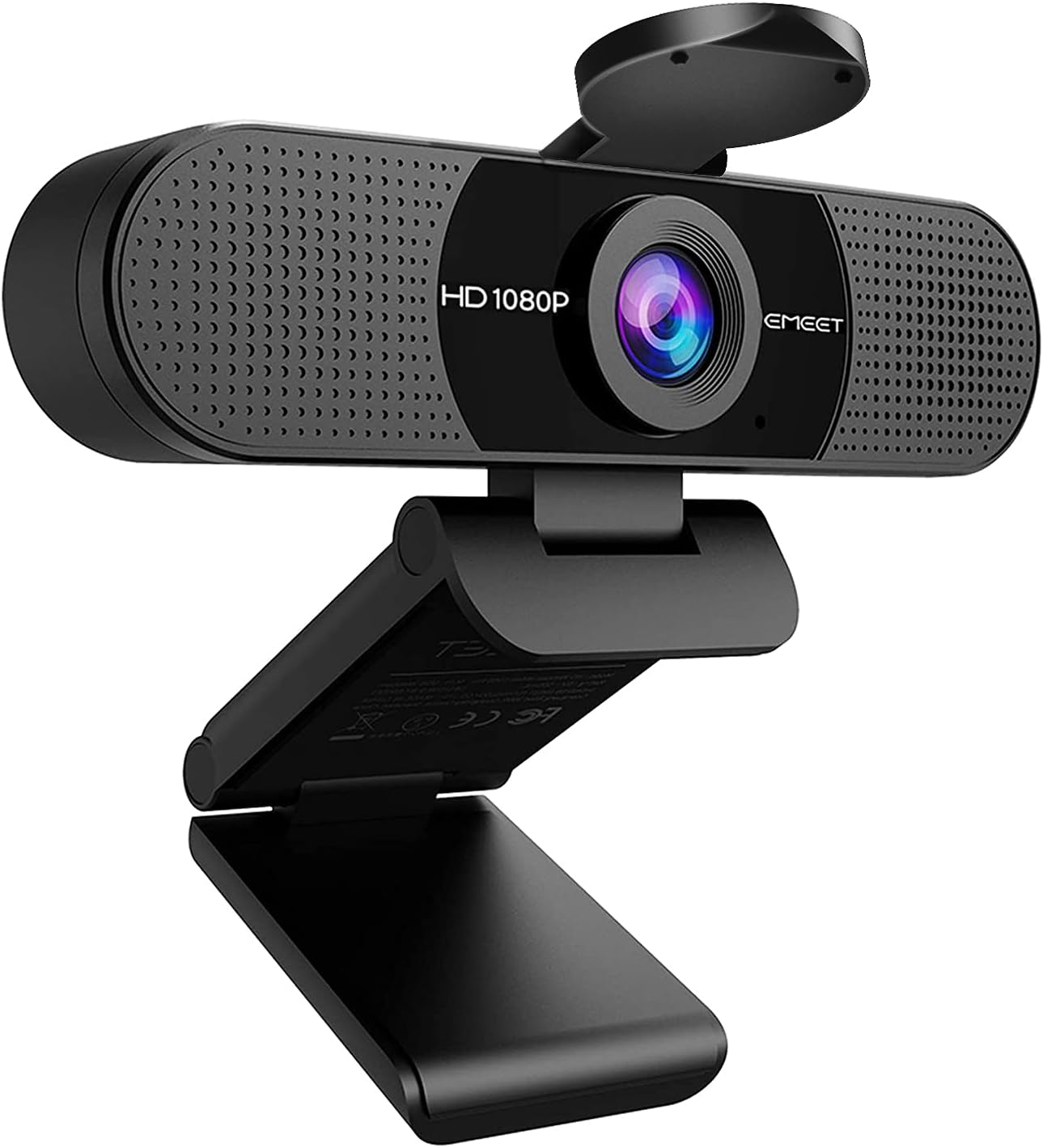
For just $5 more than the Brio 100, the EMEET C960 packs in dual noise-canceling microphones and a wider 90-degree field of view — making it an exceptional value for anyone who spends hours in video meetings.
Key Specs
- Resolution: 1080p Full HD
- Frame rate: 30fps
- Microphone: 2 built-in noise-canceling mics
- Field of view: 90 degrees
- Lens: 5-layer anti-glare glass lens
- Connection: USB plug-and-play
- Compatibility: Windows, macOS, Chrome OS
What We Like
- Dual noise-canceling mics produce noticeably cleaner audio than most budget webcams
- Wide 90-degree FOV is great for showing your workspace or multi-monitor setups
- 5-layer anti-glare lens reduces reflections and delivers sharper image quality
- Truly plug-and-play with zero driver installation needed
What Could Be Better
- Auto-exposure can struggle in very low-light environments
- No privacy shutter
- Brand is less established than Logitech, though build quality holds up well
Best For: Budget-conscious remote workers who prioritize audio quality and a wide angle view for their meetings.
3. Logitech C920x Pro HD — Best Overall (~$60)

The Logitech C920x has been a remote work staple for years, and for good reason. It sits in the sweet spot of price and performance — delivering sharp, color-accurate 1080p video with dual stereo mics that make standalone desktop microphones unnecessary for most people.
Key Specs
- Resolution: 1080p Full HD / 720p at 60fps
- Frame rate: 30fps at 1080p
- Microphone: Dual stereo mics with automatic noise reduction
- Light correction: HD light correction (auto-exposure + color balance)
- Connection: USB-A
- Compatibility: Zoom, Teams, Google Meet, Skype, and all major platforms
- Included: 3-month XSplit VCam license
What We Like
- Consistently sharp 1080p image with accurate colors in varied lighting
- Dual stereo mics deliver noticeably better audio depth than mono alternatives
- Works with every major video platform without any configuration
- Logitech’s HD light correction handles bright windows and dim offices well
- Solid, flexible clip mount fits monitors, laptops, and tripods
What Could Be Better
- No privacy shutter (addressed in the C920S below)
- Autofocus can occasionally hunt in complex backgrounds
- Design has not changed much in years — functional but not sleek
Best For: Most remote workers and professionals who want the best balance of video quality, audio performance, and platform compatibility without overspending.
4. Logitech C920S Pro HD — Best with Privacy Shutter (~$70)
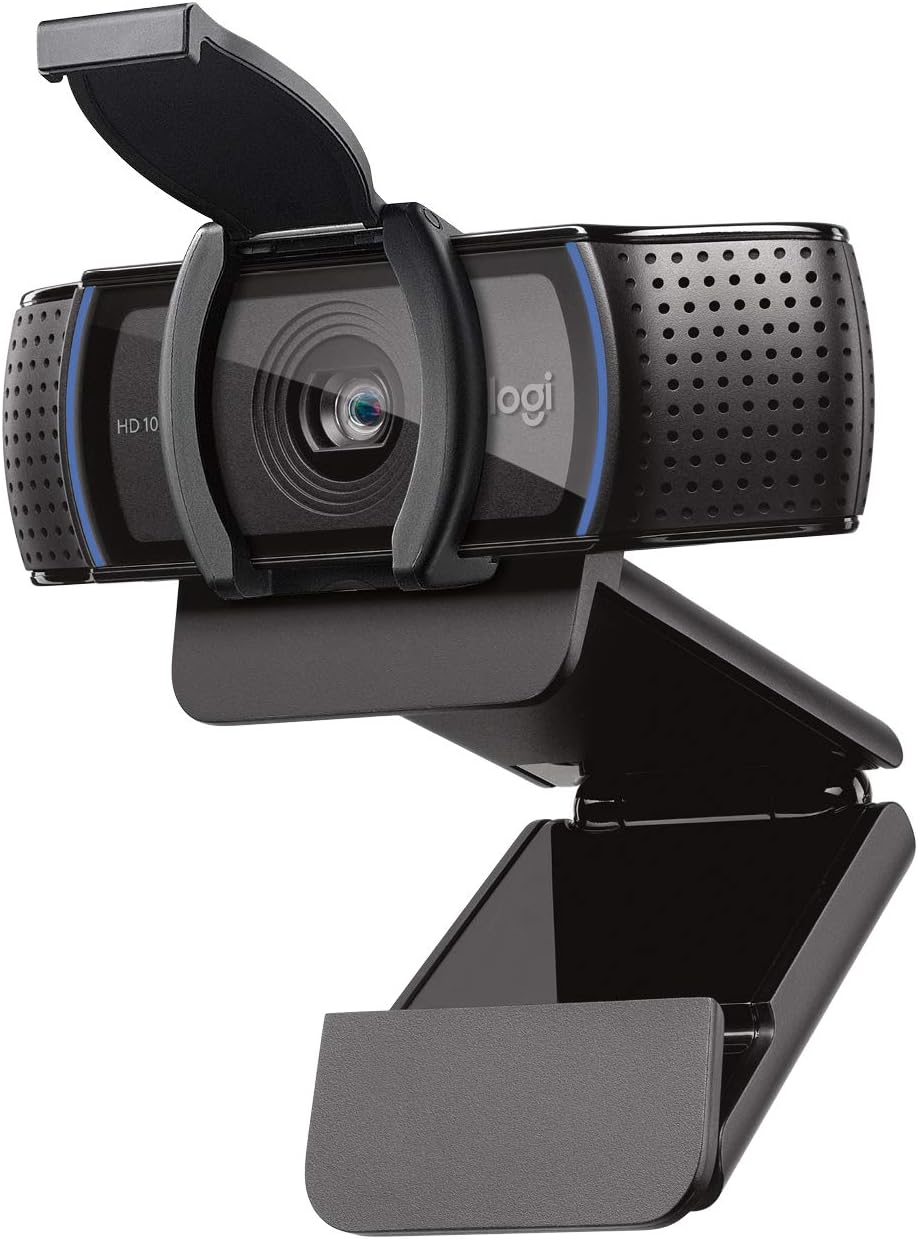
The C920S is the privacy-focused sibling of the C920x. It offers virtually identical video and audio performance but adds one crucial feature: a built-in physical privacy shutter. For anyone who is security-conscious or works from a shared space, this $10 difference is well worth it.
Key Specs
- Resolution: 1080p Full HD widescreen
- Frame rate: 30fps at 1080p
- Microphone: Dual stereo mics
- Privacy: Built-in physical privacy shutter
- Light correction: HD auto light correction
- Connection: USB-A
- Compatibility: Zoom, Teams, Google Meet, and all major platforms
What We Like
- Physical privacy shutter gives genuine peace of mind between calls
- Same excellent 1080p image quality and dual stereo mics as the C920x
- HD auto light correction works reliably across different room lighting
- Widescreen format captures a natural, professional framing
- Broad platform compatibility — works everywhere out of the box
What Could Be Better
- Only $10 more than the C920x for essentially the same camera — the value gap is minimal
- No 60fps mode at 1080p
- Slightly bulkier than the C920x due to the shutter mechanism
Best For: Professionals and privacy-conscious remote workers who want top-tier meeting performance with the added security of a physical lens cover.
5. Razer Kiyo Pro — Best for Low Light (~$100)

The Razer Kiyo Pro is in a different class from the rest of this list. Its adaptive light sensor — borrowed from smartphone camera technology — handles dark rooms and backlit environments far better than any standard webcam in this price range. If your home office has poor lighting, this is the one to buy.
Key Specs
- Resolution: 1080p Full HD
- Frame rate: 60fps at 1080p
- Microphone: 1 built-in mic
- Sensor: Sony STARVIS adaptive light sensor
- HDR: Yes (High Dynamic Range)
- Field of view: Adjustable (wide / medium / narrow)
- Connection: USB-C (USB-A adapter included)
- Compatibility: Works with all major video platforms
What We Like
- Sony STARVIS sensor produces dramatically brighter, cleaner video in low light compared to competitors
- HDR support keeps details visible even with bright windows or harsh backlighting behind you
- 60fps capture makes motion smoother — useful if you present slides or move around frequently
- Adjustable FOV lets you choose wide, medium, or narrow framing to suit your setup
- USB-C connection feels modern; adapter included for USB-A ports
What Could Be Better
- Built-in mic is adequate but not as impressive as the dual stereo mics on the Logitech options
- At $100, it is the priciest pick on this list by a significant margin
- No physical privacy shutter
- Razer Synapse software is optional but adds bloat if you install it
Best For: Remote workers with dim offices, poor natural light, or challenging backlit setups who need the best possible image quality without investing in professional studio lighting.
Which Webcam Should You Buy?
Here is a quick guide to help you choose based on your situation:
You are on a tight budget (under $35) Go with the Logitech Brio 100 if simplicity and brand reliability matter most. Choose the EMEET C960 if you want better audio and a wider field of view for only $5 more.
You want the best all-around option The Logitech C920x Pro HD is the answer for most people. It delivers professional-quality 1080p video, dual stereo mics, and rock-solid compatibility with every video platform — all at a price that is easy to justify.
Privacy is a priority for you Choose the Logitech C920S Pro HD. The physical privacy shutter is not a gimmick — it is a real safeguard when you are on back-to-back calls all day. For just $10 more than the C920x, it is an easy upgrade if this matters to you.
Your home office has bad lighting Do not settle for a cheaper webcam and fight with lighting setups. The Razer Kiyo Pro solves low-light problems at the sensor level, producing a noticeably better image in dark rooms than any other webcam on this list. It is the premium pick for a reason.
You are on calls all day in a variety of settings Consider the Razer Kiyo Pro for its adaptability — adjustable FOV, HDR, and 60fps give you the most control over how you appear on screen regardless of your environment.
Disclosure: This post contains affiliate links. If you purchase through these links, we may earn a small commission at no extra cost to you. We only recommend products we genuinely believe are worth buying.