
Whether you’re printing contracts, scanning receipts, or cranking out reports, the right printer can save you hours of frustration. But with dozens of models on Amazon, picking one isn’t easy.
We compared the 5 best-selling home office printers across price, speed, print quality, and long-term cost to help you make the right call.
Quick Comparison Table
| Printer | Type | Speed | Functions | Duplex | Best For | Price Range |
|---|---|---|---|---|---|---|
| HP OfficeJet Pro 9125e | Inkjet | 22 ppm | Print/Scan/Copy/Fax | Yes | Best Overall | ~$220 |
| Epson EcoTank ET-2800 | Ink Tank | 10 ppm | Print/Scan/Copy | No | Lowest Ink Cost | ~$150 |
| HP DeskJet 2855e | Inkjet | 7.5 ppm | Print/Scan/Copy | No | Budget Pick | ~$55 |
| Brother HL-L2460DW | Laser | 36 ppm | Print Only | Yes | Fast Mono Printing | ~$150 |
| HP LaserJet Pro MFP 3101fdw | Laser | 35 ppm | Print/Scan/Copy/Fax | Yes | Best Laser All-in-One | ~$300 |
Now let’s break down each printer in detail.
1. HP OfficeJet Pro 9125e — Best Overall

The HP OfficeJet Pro 9125e is the printer we’d recommend to most home office workers. It does everything — print, scan, copy, and fax — and does it well.
Key Specs:
- Print speed: 22 ppm (black), 18 ppm (color)
- Resolution: Up to 4800 x 1200 dpi
- Auto duplex printing and scanning
- 35-sheet ADF (Automatic Document Feeder)
- 250-sheet paper tray
- Wide format support up to 11” x 17”
- Wi-Fi, Ethernet, Bluetooth, USB 2.0, AirPrint
What we like:
- Fast, reliable printing for both documents and photos
- ADF makes multi-page scanning effortless
- Built-in fax for those who still need it
- 2.7-inch touchscreen with intuitive navigation
- Comes with 3 months of HP Instant Ink
What could be better:
- Ink cartridge costs add up over time compared to tank-based printers
- Requires HP+ enrollment for full feature access
- Larger footprint than budget options
Best for: Home office workers who need a reliable all-in-one that handles everything from contracts to color presentations.
2. Epson EcoTank ET-2800 — Lowest Ink Cost

If you’re tired of buying expensive ink cartridges, the Epson EcoTank ET-2800 is the answer. It uses refillable ink tanks instead of cartridges, and the included ink lasts up to 2 years.
Key Specs:
- Print speed: 10 ppm (black), 5 ppm (color)
- Resolution: 5760 x 1440 dpi
- Print, scan, and copy
- Wireless connectivity
- Voice-activated printing (Alexa compatible)
- Cartridge-free supertank system
What we like:
- Included ink prints up to 4,500 black / 7,500 color pages
- Equivalent to about 90 individual ink cartridges in the box
- Extremely low cost per page over time
- High print resolution for photos
- No subscription required
What could be better:
- Slower print speed than competitors
- No auto duplex printing
- No ADF — flatbed scanning only
- Build quality feels basic
Best for: Anyone who prints frequently and wants to stop spending money on ink cartridges. The upfront cost pays for itself quickly.
3. HP DeskJet 2855e — Best Budget Pick
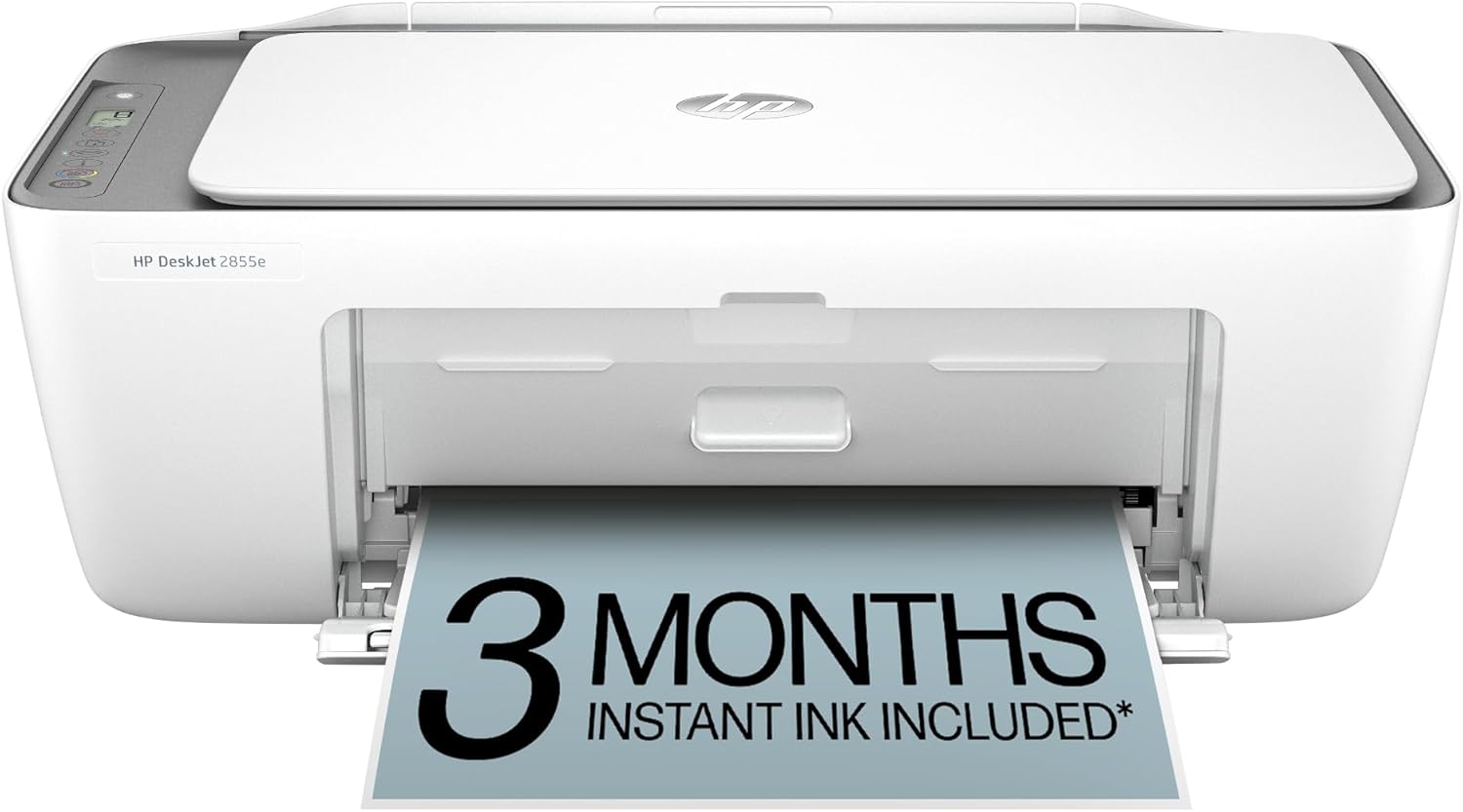
At around $55, the HP DeskJet 2855e is the most affordable all-in-one printer on this list. It covers the basics — print, scan, copy — without breaking the bank.
Key Specs:
- Print speed: 7.5 ppm (black), 5.5 ppm (color)
- Print, scan, and copy
- 60-sheet paper tray
- Wireless (2.4 GHz only)
- Comes with 3 months of HP Instant Ink
What we like:
- Unbeatable price for an all-in-one
- Compact size fits anywhere
- Easy setup via HP Smart app
- Good enough print quality for everyday documents
What could be better:
- Slow print speed
- Small 60-sheet paper tray needs frequent refilling
- No duplex printing
- Higher cost per page than tank or laser printers
- 2.4 GHz Wi-Fi only (no 5 GHz)
Best for: Students, light home users, or anyone who needs a basic printer without spending much upfront.
4. Brother HL-L2460DW — Fastest Mono Printing

If you mostly print black-and-white documents and want speed, the Brother HL-L2460DW is hard to beat. At 36 pages per minute, it’s the fastest printer on this list by a wide margin.
Key Specs:
- Print speed: 36 ppm
- Resolution: 1200 x 1200 dpi
- Auto duplex printing
- 250-sheet paper tray + manual feed slot
- Dual-band Wi-Fi, Ethernet, USB
- Compact design
What we like:
- Blazing fast — 36 pages per minute
- Low cost per page with laser toner
- Auto duplex saves paper
- Compact footprint for a laser printer
- Toner lasts much longer than ink
What could be better:
- Print only — no scanner, copier, or fax
- Monochrome only — no color printing
- Toner subscription model (Refresh) is pushed during setup
Best for: Home office workers who print lots of black-and-white documents — contracts, reports, invoices — and want speed and low running costs.
5. HP LaserJet Pro MFP 3101fdw — Best Laser All-in-One

The HP LaserJet Pro MFP 3101fdw is the premium pick on this list. It combines laser speed with full all-in-one functionality: print, scan, copy, and fax.
Key Specs:
- Print speed: 35 ppm
- Print, scan, copy, and fax
- Auto duplex printing
- ADF for multi-page scanning
- Designed for up to 7 users
- Wi-Fi, Ethernet, USB
- Uses HP 138A/138X toner cartridges
What we like:
- Fast, sharp text output at 35 ppm
- Full all-in-one with fax and ADF
- Low cost per page (~$0.02/page for black)
- Built to handle higher print volumes
- Professional-quality output
What could be better:
- Highest upfront cost on this list (~$300)
- Monochrome only
- Larger size takes up more desk space
- HP+ enrollment required for some features
Best for: Small teams or heavy-printing home offices that need a fast, reliable laser all-in-one with scanning, copying, and faxing.
How We Chose These Printers
We focused on printers that consistently rank as Amazon best sellers and are well-reviewed across major tech publications. Our criteria:
- Print speed — How fast can it output pages?
- Print quality — Is the output sharp and professional?
- Cost per page — How much does each page actually cost to print?
- Features — Does it scan, copy, fax, and duplex?
- Value — Is the price justified by what you get?
Which Printer Should You Buy?
Here’s a quick decision guide:
- Need a do-it-all printer? → HP OfficeJet Pro 9125e
- Print a lot and hate buying ink? → Epson EcoTank ET-2800
- On a tight budget? → HP DeskJet 2855e
- Need fast black-and-white printing? → Brother HL-L2460DW
- Want a laser all-in-one? → HP LaserJet Pro MFP 3101fdw
No matter which printer you pick, any of these five will serve a home office well. The best choice depends on how much you print, what you print, and how much you want to spend upfront versus over time.